
Five updates this week, and most of them are about keeping work moving. Slack threads and Web Chat became the same conversation. Connect a tool from chat and it is authorized for the agent immediately. Send your next message when you're ready, and the agent can use it without another setup step. Here's what's new.
Slack threads and Web Chat are the same conversation
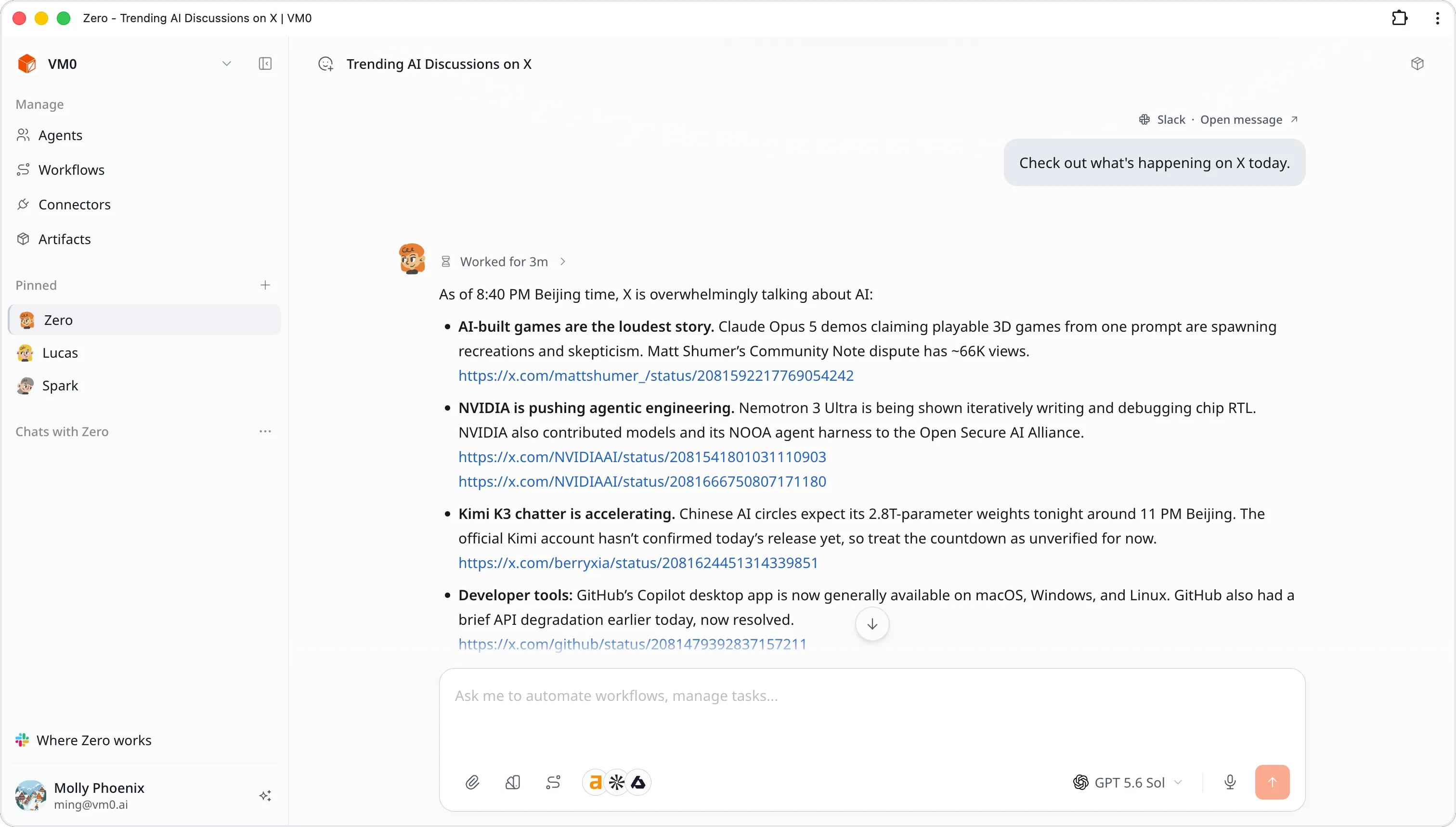
The Slack rewrite we've been rolling out reached everyone this week, and it changes what a Slack conversation is. Messages you send from Slack now run through the same chat pipeline as the web app, which means a Slack thread shows up in Web Chat and you can follow it, search it, or pick it up there.
Two things you'll notice right away. Replies arrive exactly once — a retried delivery no longer means a duplicate landing in the channel. And a message that started in Slack now carries a Slack · Open message ↗ link above it in Web Chat, which opens the original message in Slack.
Agent and model choices are bound when a Slack thread is created, so /zero switch and /zero model apply to the next thread you start rather than rewriting the one you're in.
New connectors are ready for the agent
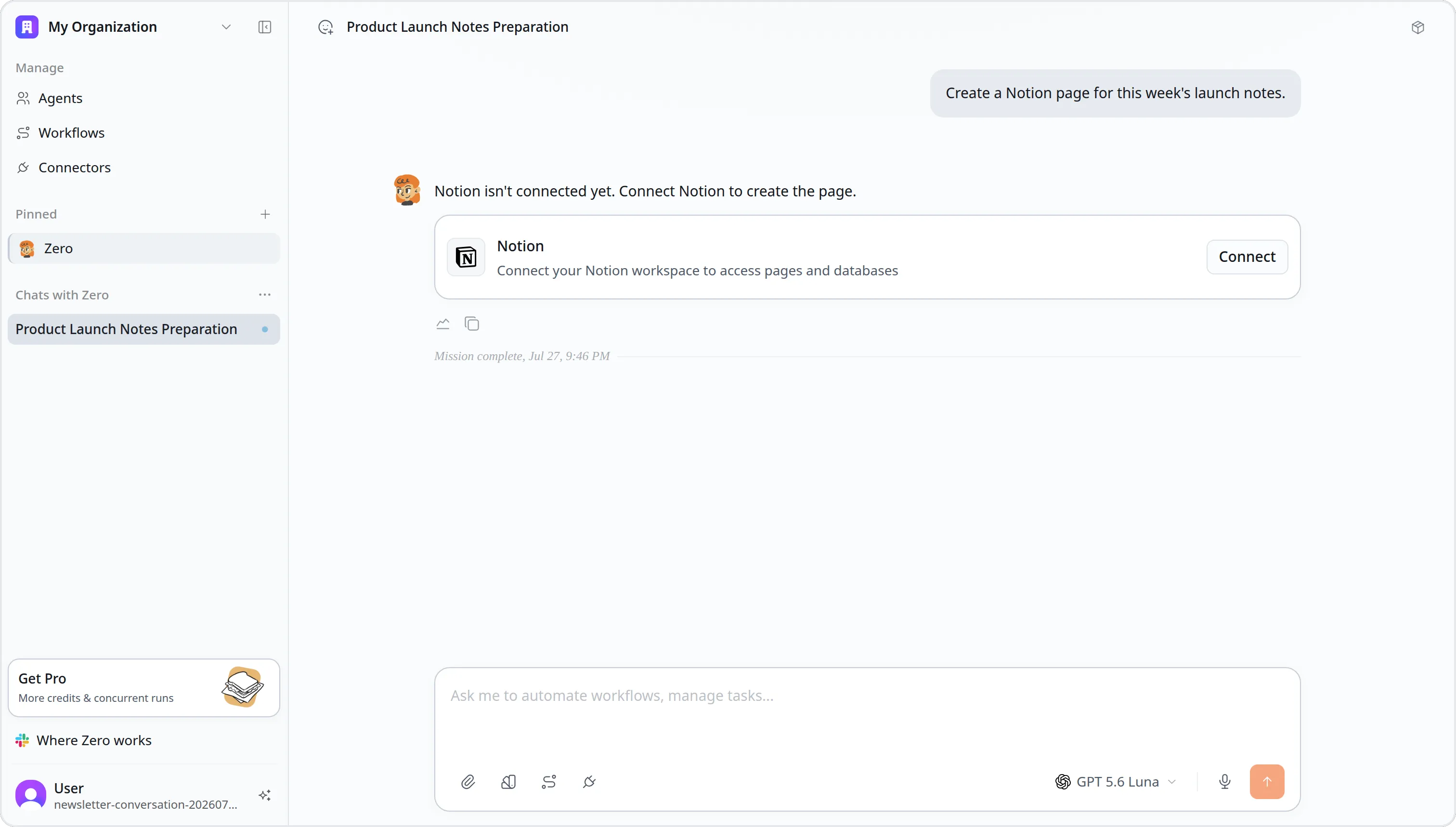
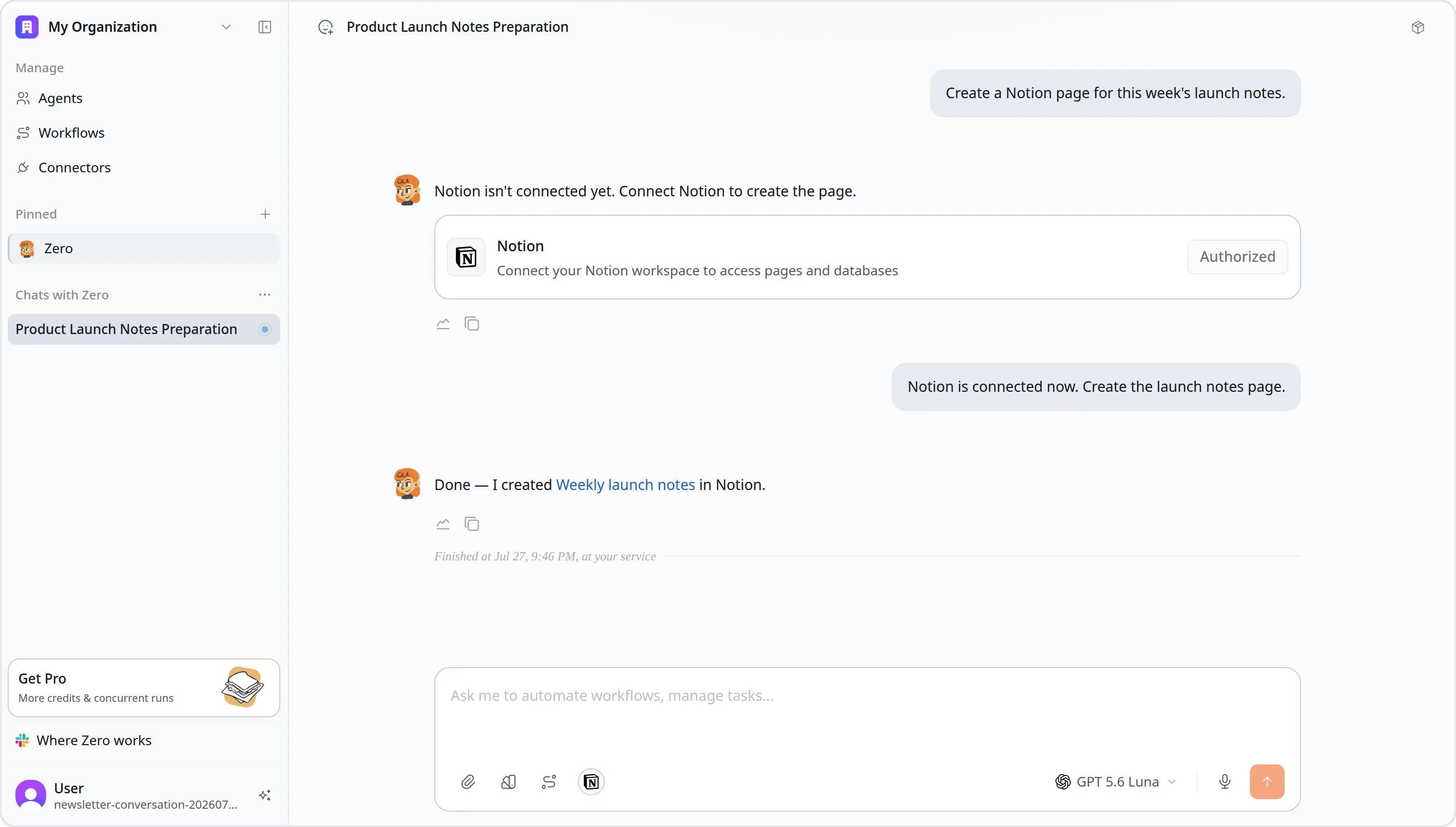
When a request needs a connector you haven't set up yet, Zero shows it directly in the conversation. Connect it there, and the connector is authorized for that agent automatically. There is no second access step.
Connecting does not start a new run. Send your next message when you're ready, and the agent can use the connector straight away.
Zero Weather and Air Quality
Zero can now answer weather questions without a connector. There's current conditions, hourly and daily forecasts, and recent history, so you can ask what it's like right now, what it'll be like on Thursday, or what it was like last weekend.
Air quality landed alongside it: Universal AQI, your local AQI standard, and the underlying pollutant concentrations.
Weather calls cost nothing. Every successful request is recorded at zero credits, so leaning on it in a scheduled briefing or a daily report won't show up on your bill.
A Topvisor connector for SEO work
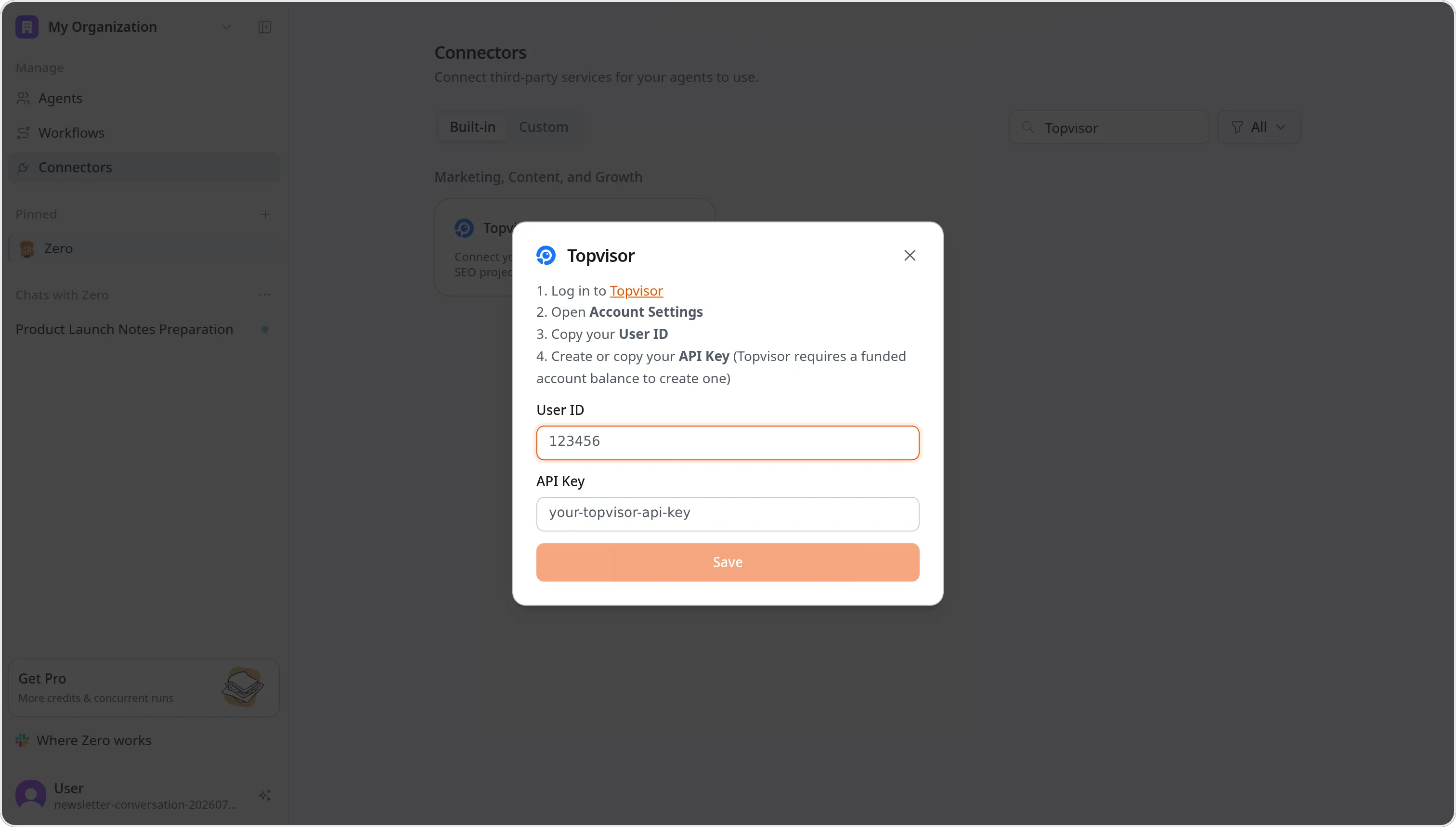
Topvisor joins the connector catalog. Connect it and Zero can reach your SEO projects, keywords, rank tracking, SERP data, and site audits — so "how did we move on our tracked keywords this week" is a question you can ask in chat, or put on a schedule.
It authenticates with two separate credentials, a user ID and an API token, both of which you'll find in your Topvisor account.
Artifacts and chat history appear faster
Coming back to the Artifacts page no longer means watching it rebuild. It shows what it already had cached the moment you land, then fills in the rest progressively as results page in.
Chat threads got the same treatment. A thread renders the messages you're actually looking at before the older history finishes loading behind it, with a skeleton in place of the empty space while that happens.
Smaller updates
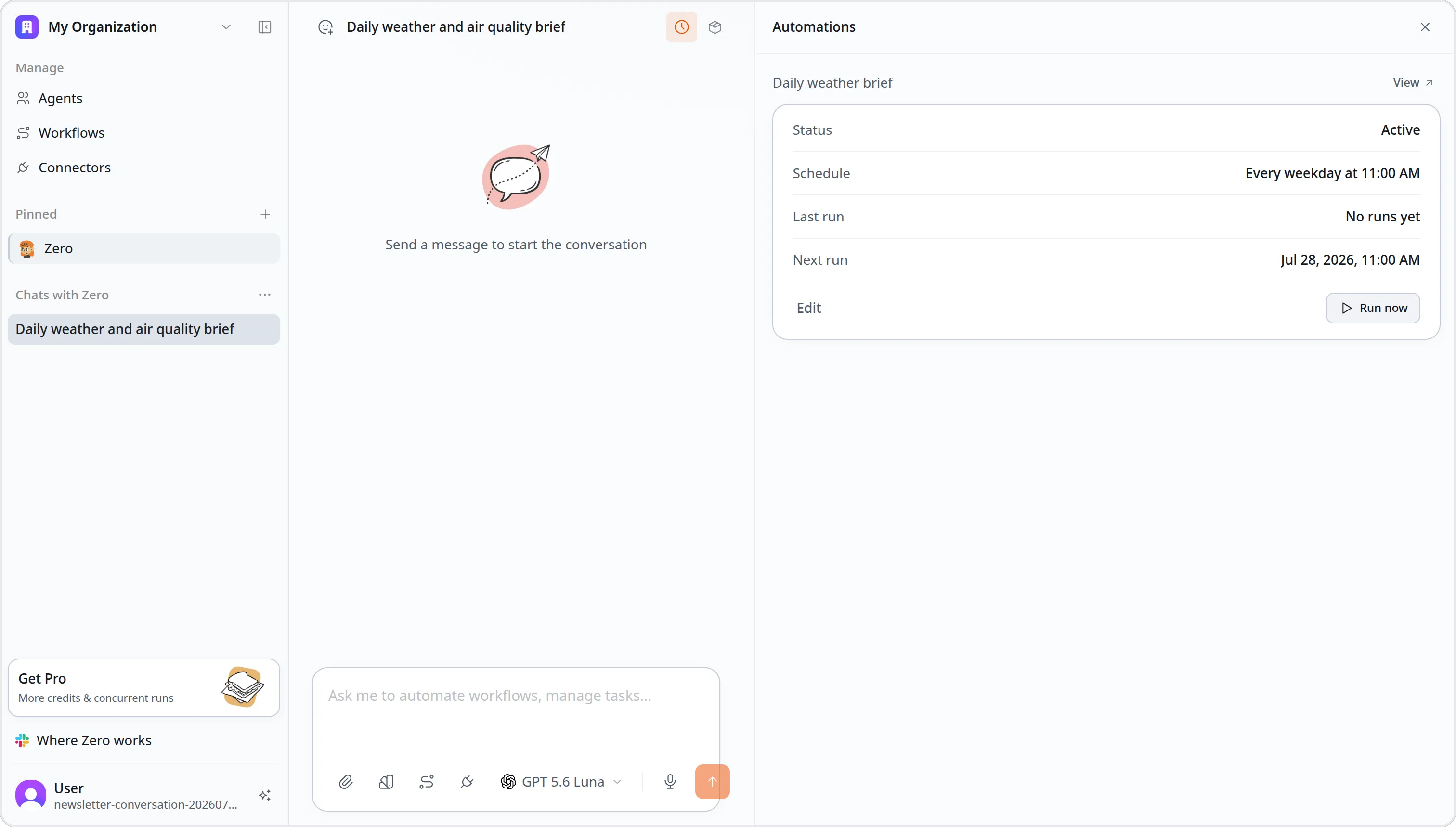
Automation status in the thread sidebar. Each automation in a chat thread now shows whether it's Active or Disabled, so you can tell at a glance without leaving the thread.
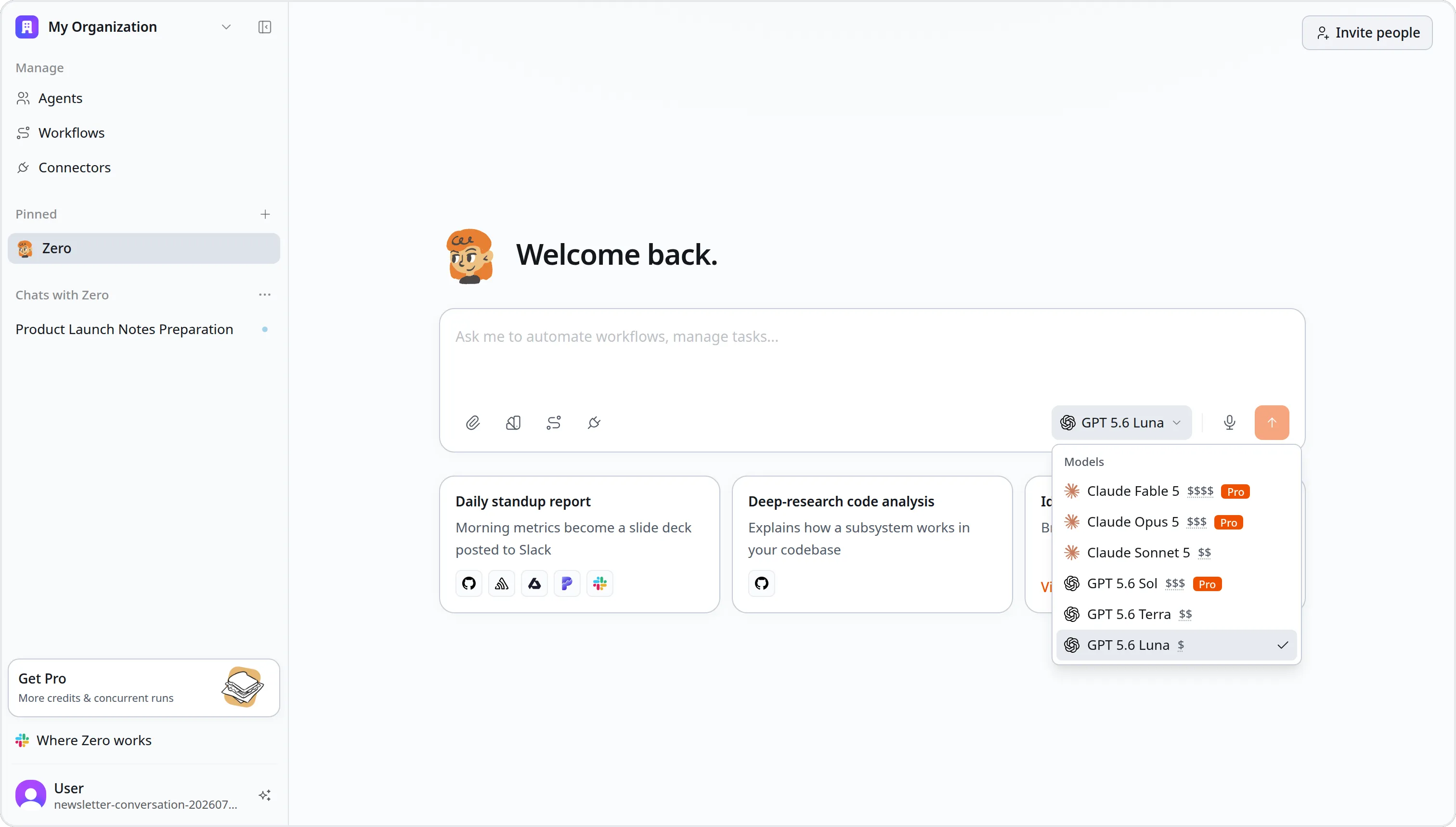
Claude Opus 5 in new workspace defaults. New workspaces now start with Claude Opus 5 in their model policy. Existing workspaces are untouched, and the models you're already using stay available.
That's everything we shipped this week. Pick up a Slack thread in Web Chat, ask Zero for the weather, and tell us what you'd like to see next.


